
AI Chat Write Actions
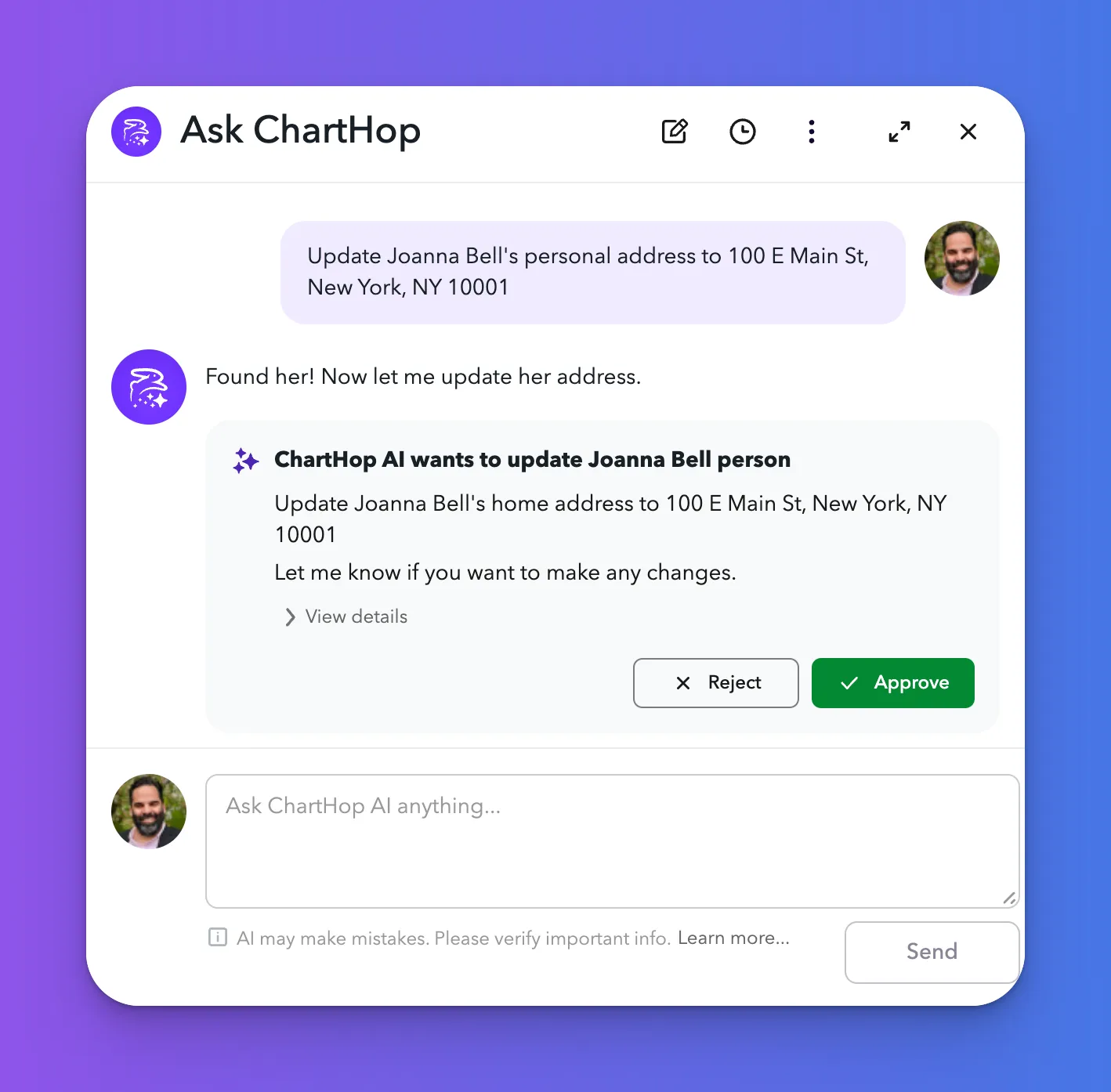
AI Chat Write Actions enables the AI to make changes to your organization's data directly from a chat conversation. Rather than navigating to a profile or data sheet to make an update, users with the appropriate permissions can ask the AI to make changes on their behalf — and the AI will propose and execute those changes inline.
Enabling AI Chat Write Actions
- Navigate to Admin > AI
- Ensure AI Features is enabled
- In the AI Pro section, toggle on AI Chat Write Actions
- Click Save Settings
How It Works
When AI Chat Write Actions is enabled, the AI can propose and apply updates to ChartHop data based on a user's natural language request. Before any change is applied, the AI will present a summary of the proposed update for confirmation. Changes are only made after explicit user approval.
Examples of what AI Chat Write Actions can do:
- Update a job title or department for an employee
- Change a field value on a person's profile
- Apply a set of changes described in plain language
- Create a Dashboard
- Create a Goal
- Assign a Task
- (more capabilities soon!)
Permissions & Access Control
AI Chat Write Actions respects ChartHop's existing permission model. The AI can only make changes that the logged-in user is already authorized to make. It will not bypass field-level or role-based access controls.