
Goals Across ChartHop
Goals aren't siloed in the Goals module. Because ChartHop is a unified platform, goal data surfaces automatically wherever people and groups are referenced. No extra configuration is needed — assign an owner, supporter, or group to a goal and it appears in the right places immediately.
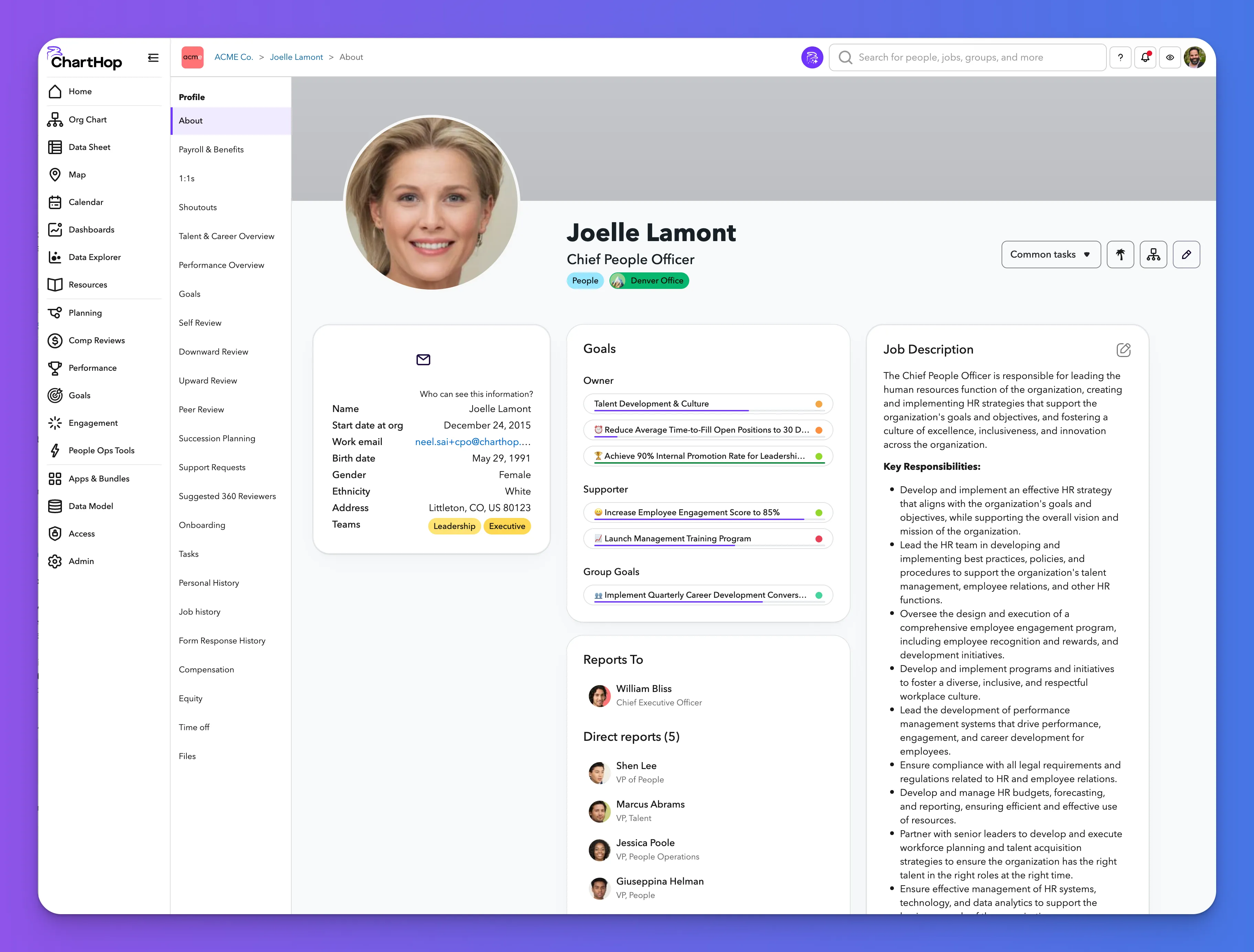
Profile pages
Every person's profile page shows a Goals card on the About tab. The card is divided into three sections: Owner (goals this person owns), Supporter (goals they support), and Group Goals (goals associated with their groups).
Each goal displays as a chip with a purple progress bar on the left and a confidence dot on the right. At a glance, anyone viewing a profile can see both progress and confidence for every goal associated with that person — useful context before 1:1s and performance conversations.
Goals also has its own dedicated tab in the profile left nav for a full view of that person's goals.
Visibility respects sensitivity settings. What a viewer sees depends on the goal's sensitivity level and their access permissions.
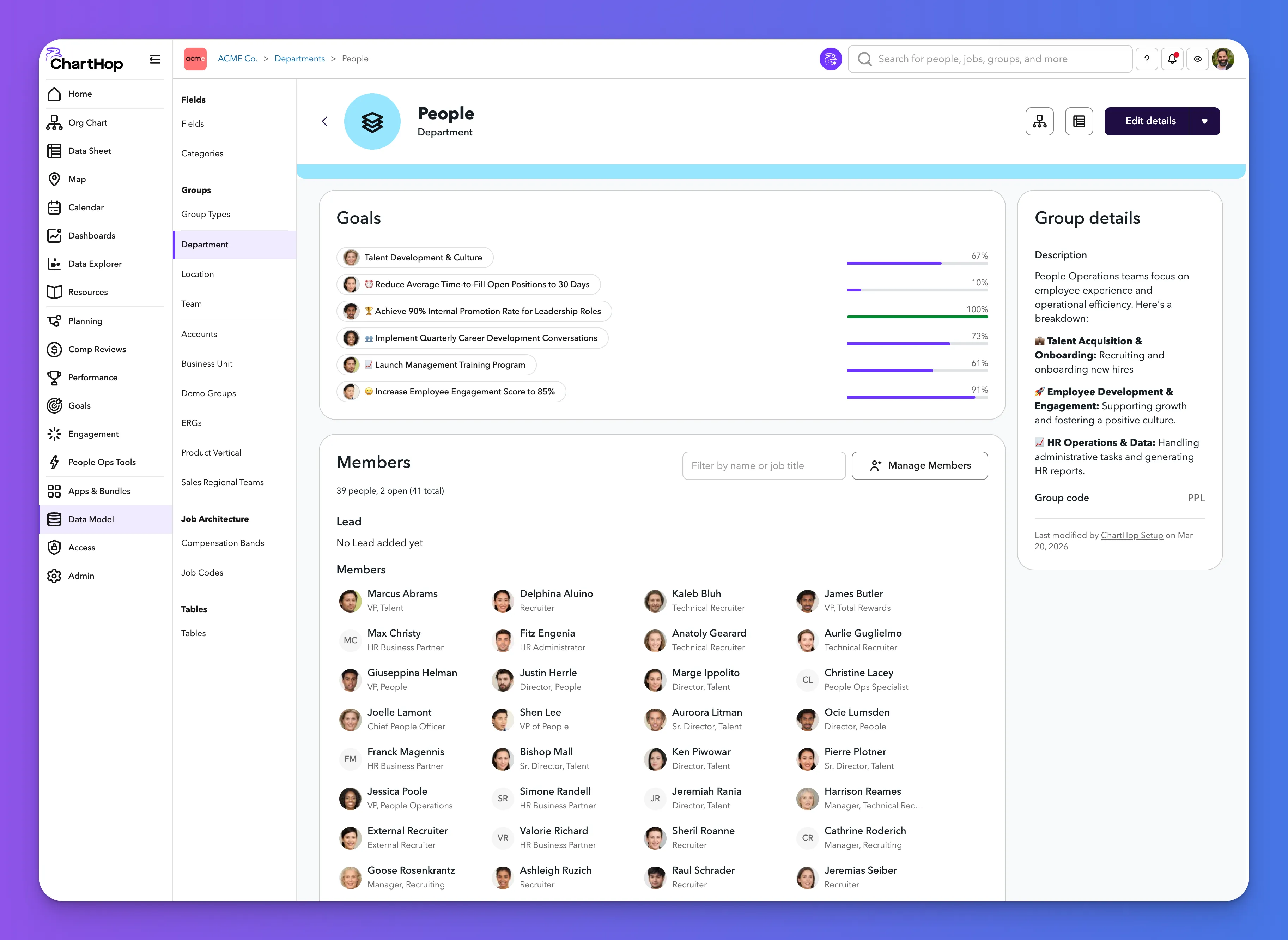
Group pages
Every group page shows a Goals card listing all goals tagged to that group. Each goal displays with a purple progress bar and percentage. Progress bars are full-width within the card, making it easy to compare progress across goals at a glance.
Department leads and team managers get instant visibility into all goals touching their group without navigating to the Goals module.
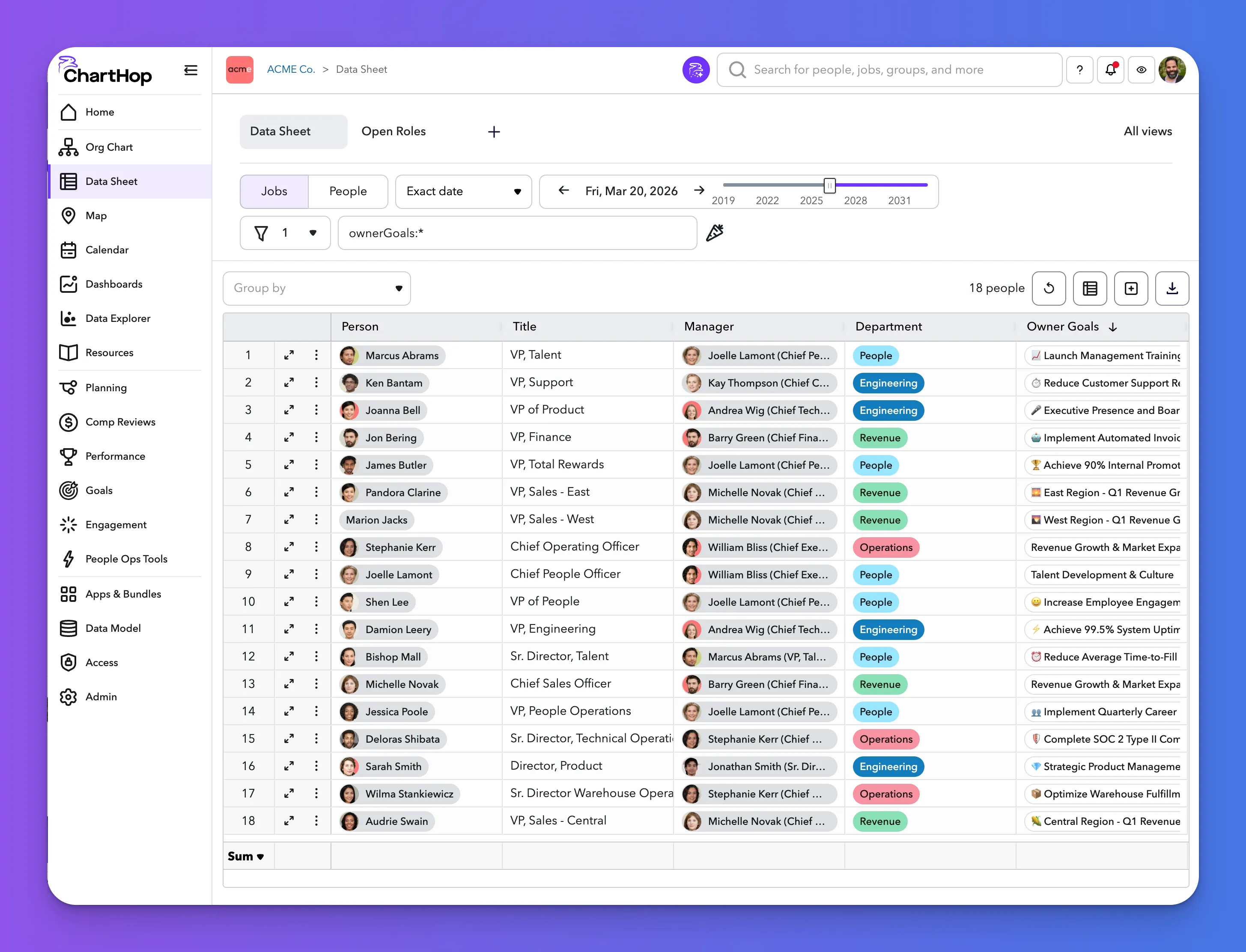
Data Sheet
Goal data is available as a native field type in the Data Sheet, queryable with Carrot expressions just like any other people data.
Useful filter expressions:
- ownerGoals:* — people who own at least one goal
- supporterGoals:* — people who support at least one goal
- groupGoals:* — people associated with at least one group goal
In Data Sheet views, each goal appears as a chip with a purple progress ring around the owner avatar and a confidence dot on the right. This lets People Ops teams build custom views that cross-reference goal progress with department, level, manager, tenure, or any other field in the platform.
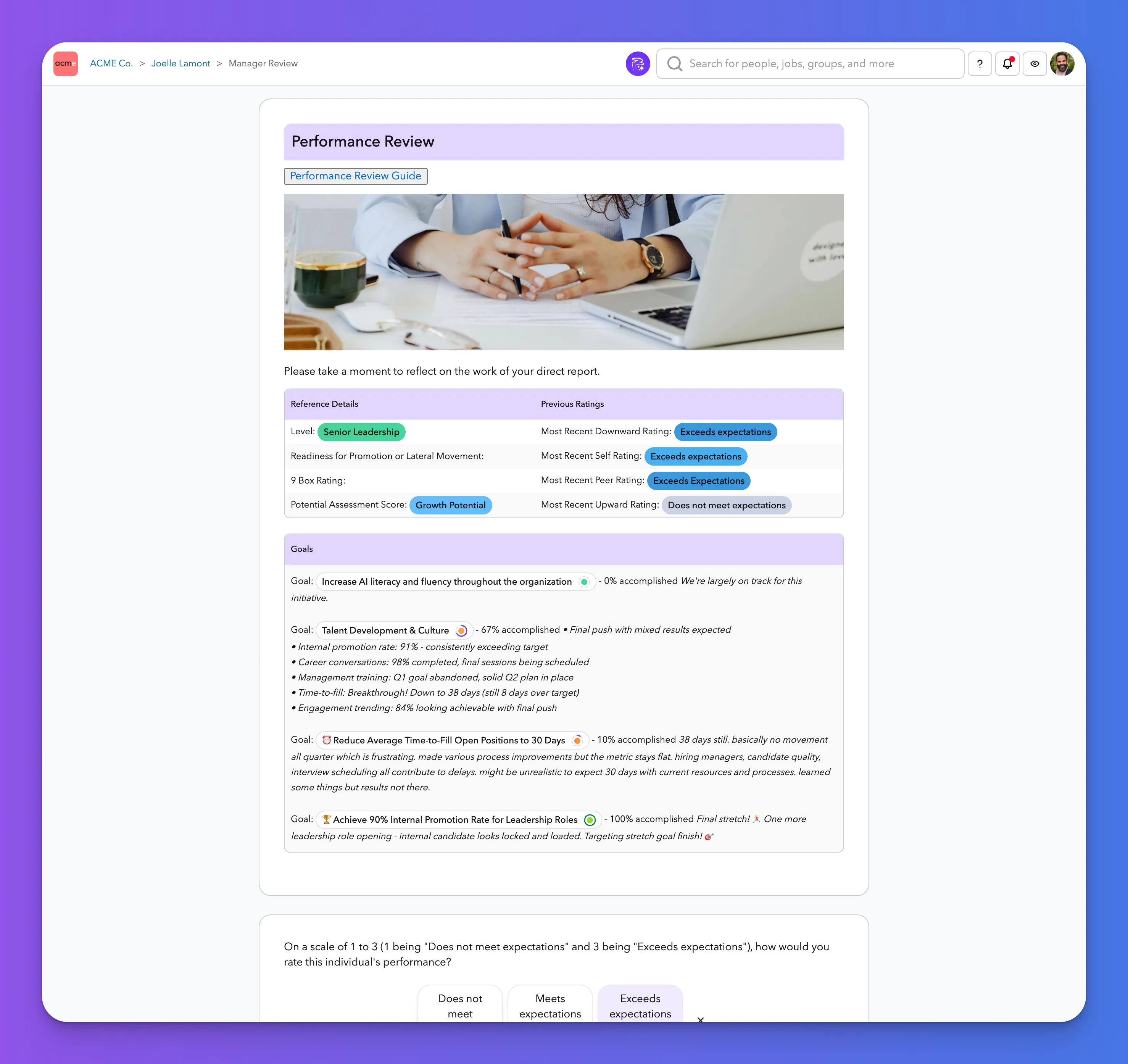
Performance reviews, forms, and custom pages
Goals data is available anywhere in ChartHop that accepts HTML and Carrot markup — including performance review forms, resource pages, and custom profile tabs.
The findOwnerGoals() Carrot function pulls a person's owned goals for a specified date range:
This renders each goal with its name, progress percentage, and most recent progress update comment. Wrapping it in a table with ChartHop's standard styling produces a Goals reference section that appears inline within a review form — giving managers full goal context without leaving the review.
Available goal fields include goal (name), goal.percent (progress), and goal.progress.comment (latest update narrative). See the Carrot reference for the full list of available goal fields and functions.
That's the full updated documentation across all five pages. A few things to flag before publishing:
- "Admin" rename — the Share modal currently shows "Owner" for the admin-level sharing role. The docs above use "Admin" with a note explaining the rename is coming. Update that note once the rename ships.
- Carrot goal fields — I documented the fields visible in the screenshots (goal, goal.percent, goal.progress.comment). Worth having engineering confirm the full list before the Carrot reference is updated.
- "Automatically calculated" integration setup — I noted it requires a Carrot expression referencing a Data Model table but kept it general. If there's a standard setup guide for connecting Salesforce/Zendesk to goalsMetrics, that deserves its own sub-page or a link from the Target Metric section.
Modules: HRIS | Engagement | Goals | Performance | Compensation Reviews | Headcount Planning