
Job codes on the job form (Alpha)
Alpha. This page applies to organizations in the job form alpha with Job Codes & Dynamic Fields turned on. To set up job codes, see Job Codes & Dynamic Fields (Alpha).
When your org uses job codes, the title you pick fills in the fields linked to its job code, like department, level or comp band. Linked values stay editable. If you change one, you choose whether to keep the title and override the value, or clear the title.
Pick a title
- Above Title, set the filter fields if you see them (for example Department). Admins choose up to three filters. Choose the All option at the top of a filter list to clear it.
- In Title, search by title or job code. The hint shows how many titles match your selections. If only one title matches, it's filled in for you.
- Pick a title. Fields linked to its job code fill in.
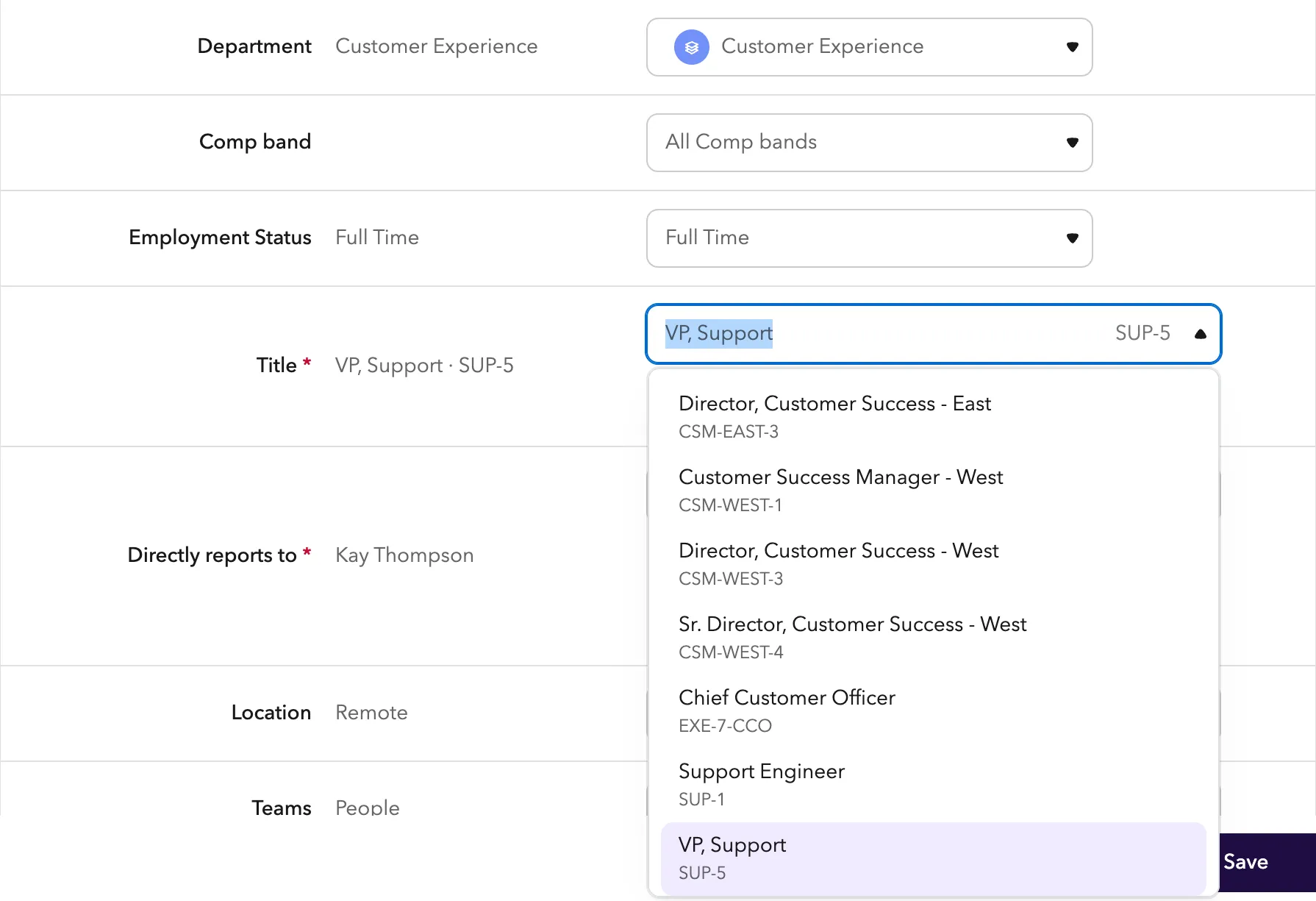
If you see "No titles match selections", the filters don't match any job code. Change one or more of the fields the hint lists to see titles.
Fields filled by the job code
Fields filled by the title show a purple icon next to their label. Hover over it to see "Populated by Title & Job Code". You can still edit them.
Override a value
If you change a field that the title filled to a value the job code doesn't set, the field asks what to do:
- Override this value: keep the title and use your value. The field shows an orange icon ("Overrides Title & Job Code") and an Override tag, with the job code's value underneath.
- Clear title: remove the title and empty the fields it filled, then pick a title that matches.
You can't save until you choose.


Overrides need a note
On Review, a note is required whenever a field overrides its job code value. The placeholder asks why the field differs from the job code. Approvers see the override and your note.
Undo an override
- When creating a job, select Use job code value on the field.
- When editing a job, select Undo on the field.
- Picking a different title replaces your overrides with the new title's values. Clearing the title ends them too.
Custom titles
To use a title that isn't a job code, check Use custom title. If the job already has a custom title, check Change custom title to edit it.
Related
- Configuring the job details panel: choosing the title filters