Profile Tabs V2
This feature is currently in Alpha. Be one of the first customers to try it! Please share any feedback with the ChartHop team.
How to setup a Alpha Feature
- Read below for setup instructions and context on how the feature will work.
Overview
The new profile tabs allow you to design and configure the tabs to communicate key information to employees. They allow you to make ChartHop the one place that you send employees.
For example, you can create a profile tab that redirects employees to where they need to find their country-specific.
Designing your profile tab
The first thing you'll do is decide who
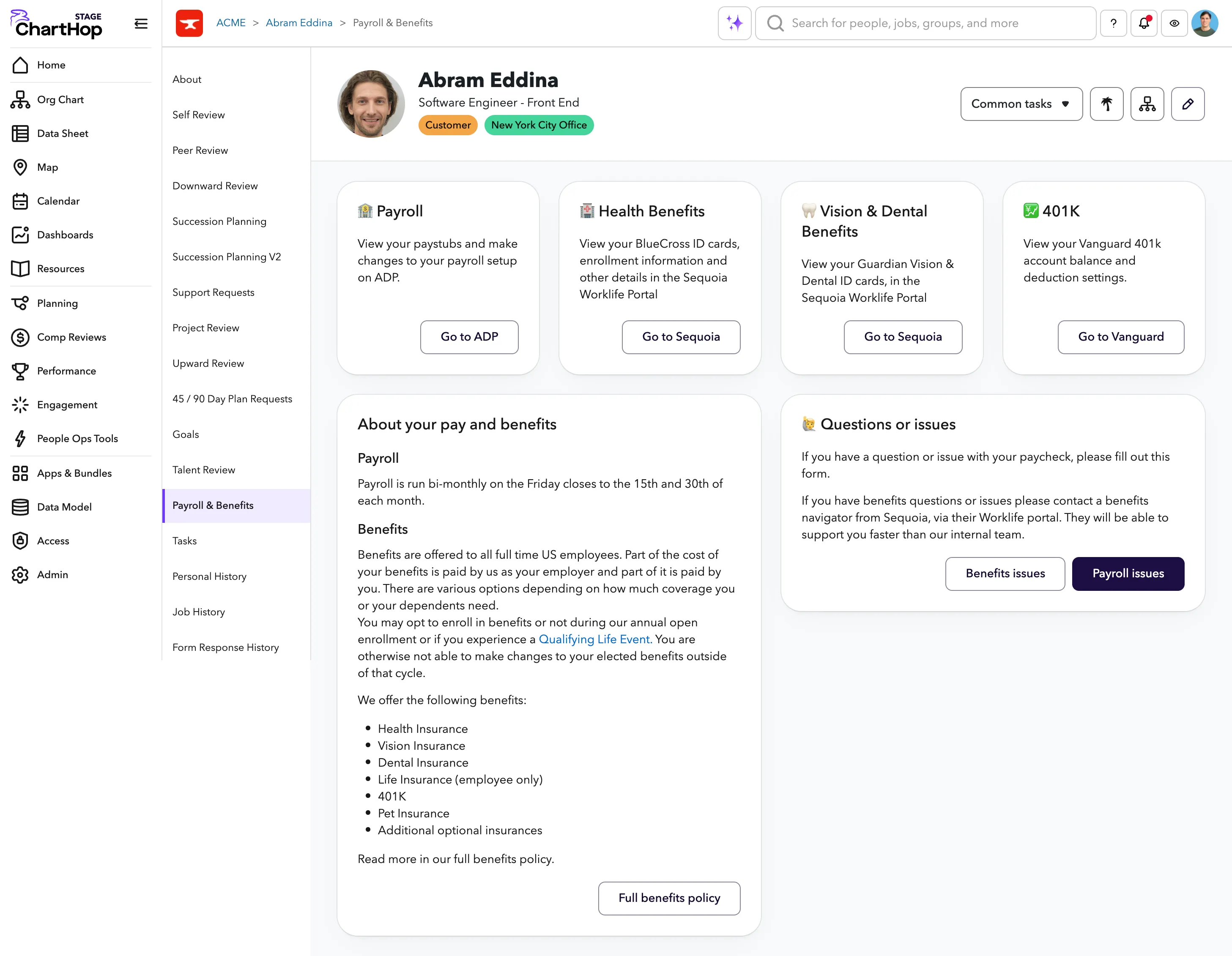
- Name your profile tab - Payroll & benefits
- Who's profile should it appear on? - Everyone
- Who should it be displayed to? - The person and their manager
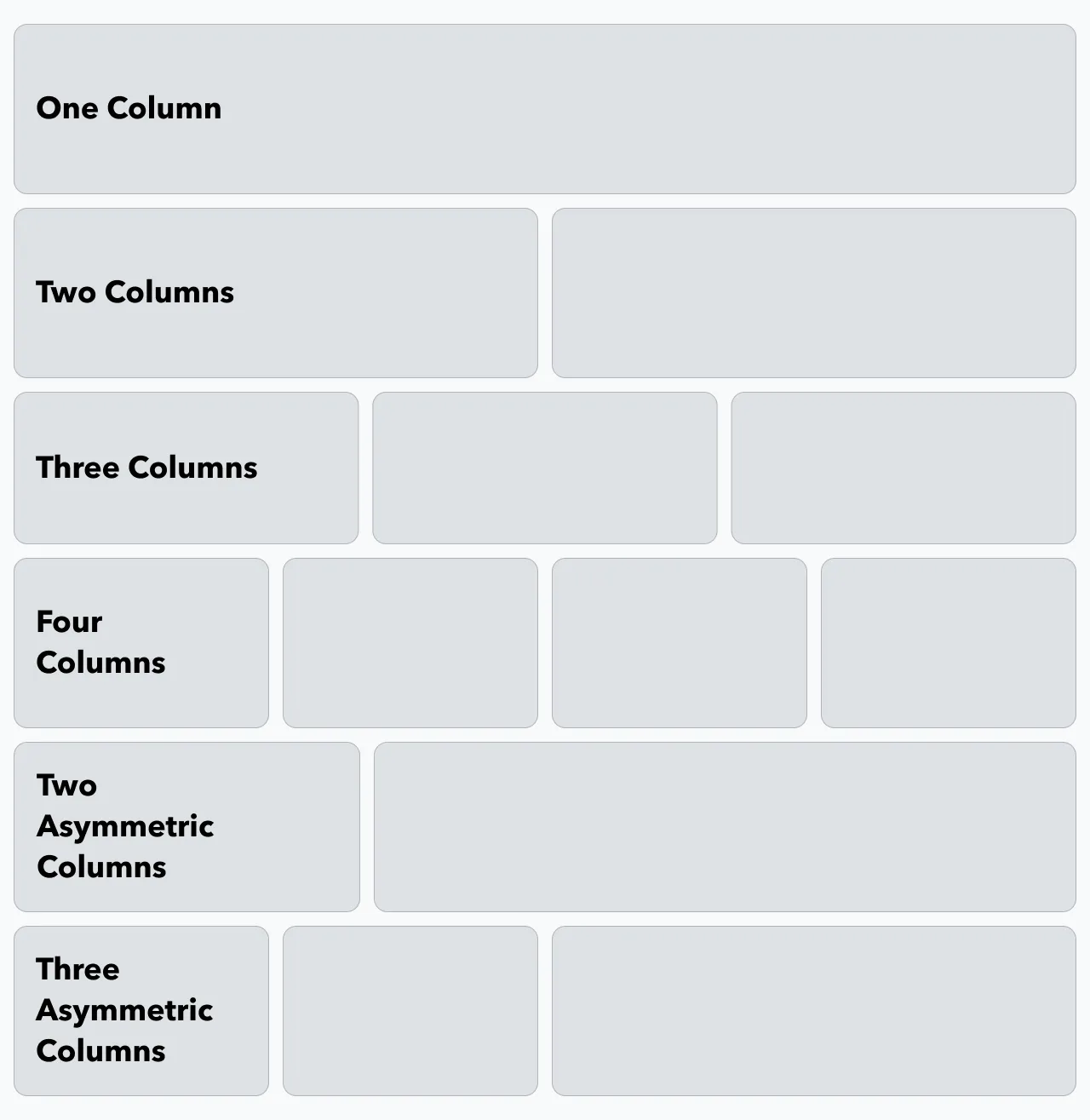
Layout: Columns & Rows
You have the abilty to add in rows on the tab with a set column layout and then add content into those rows.
Blocks
You are add in 3 types of blocks into columns:
Content Blocks
The content blocks are great ways to showcase any information
- Header
- Text - Add the details of all of the text
- Primary Button - Can be to any external or specific form link.
- Secondary Button - Can be to any external or specific form link.
Tasks
The same tasks block that shows on the home page.
Additional configuration coming in the future.
Calendar
The same "This week" calendar block that shows on the home page.
Additional configuration coming in the future.
Examples
Payroll and Benefits Tab
For example, this tab has 2 rows: One with four columns, One with two columns.
This payroll and benefits tab can be downloaded as a bundle.