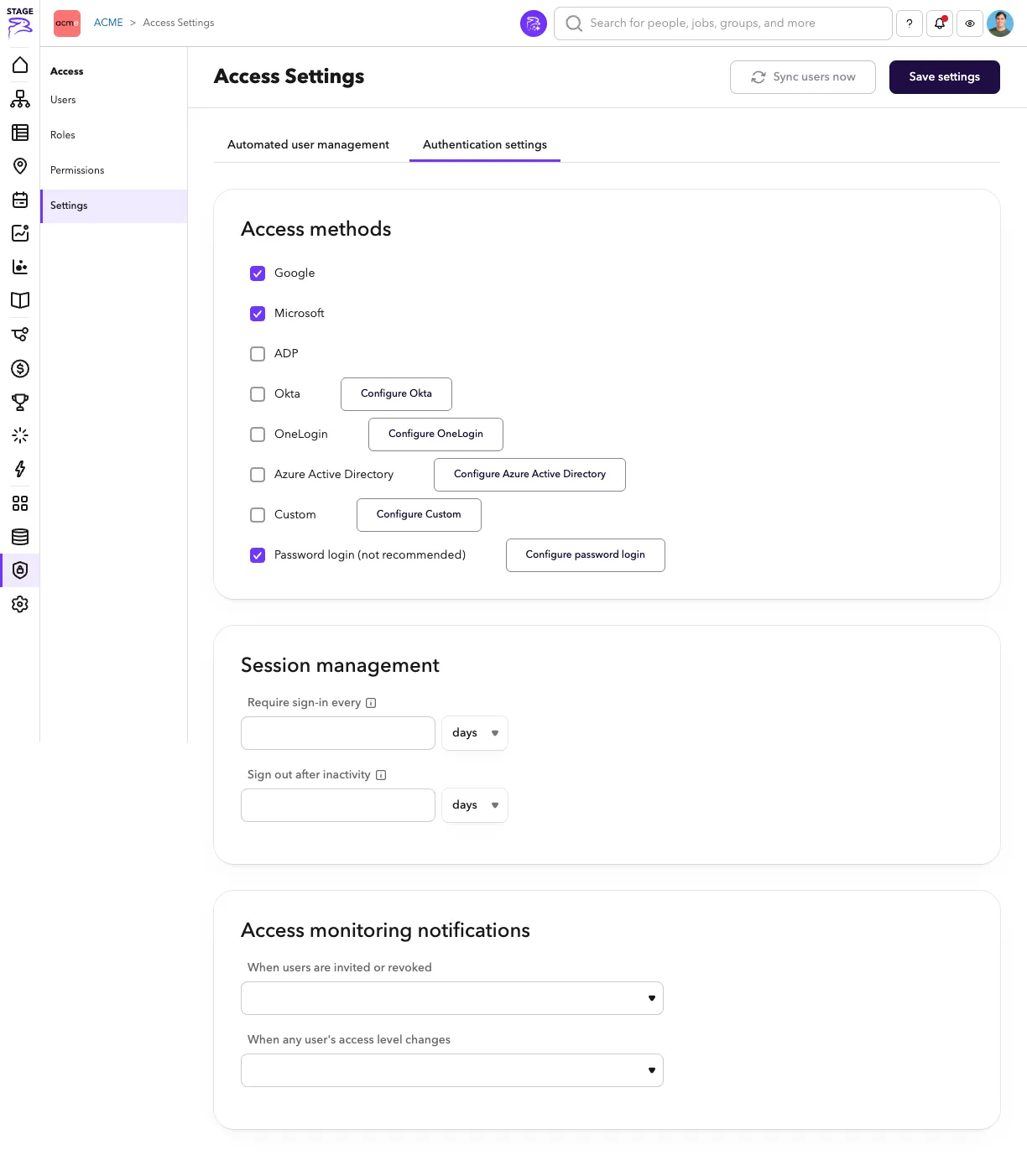
Redesigned User Management Settings
This feature is currently in Beta. We're excited for you to try it and would love your feedback. Send it to the ChartHop team or directly to [email protected].
How to set up a Beta Feature
- From the left sidebar, select Admin, then select Labs.
- Use the switch to toggle on the feature, then press the Save settings button.
- Read below for additional setup instructions and context about what will be activated when you save settings.
What's new
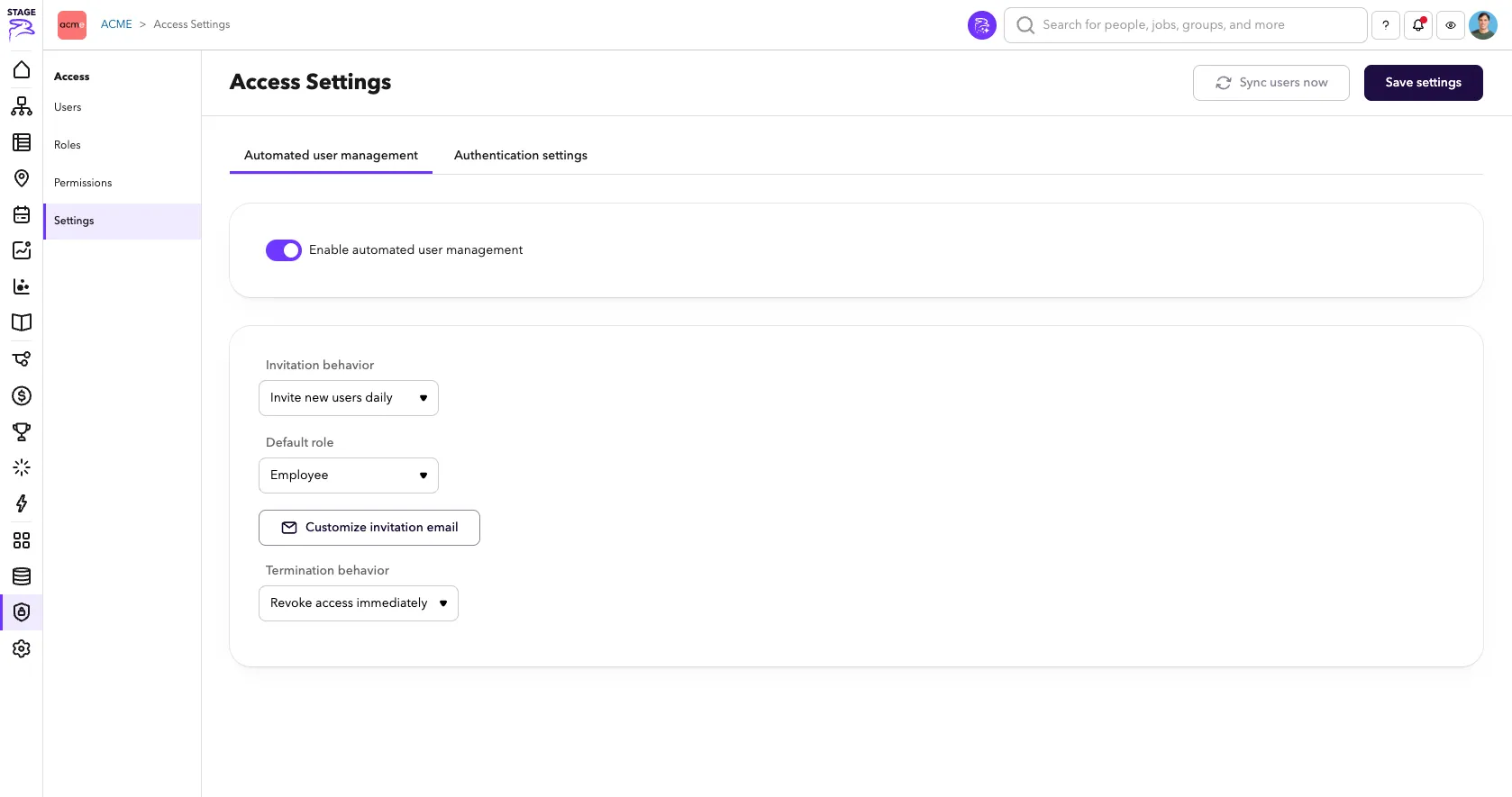
The options in User management settingsUser management settings have been redesigned to make them simpler and clearer to understand.
Automated user management
This tab contains controls for automatically inviting and revoking user access.
Authentication Settings
This tab contains setting for access methods, sessions and notifications.