
Sharing Groups
Overview
Sharing Groups allows additional people to help manage and administrate Groups membership and setup.
Similar to Resources sharing, there are two visibilty settings in the Share modal on each Groups page:
- Specific user or group sharing for administration of the group
- Content visibility sharing throughout ChartHop
Sharing with specific users
Open the Share modal in the header of a Group type's list page.
To allow additional users to see or edit this group type, type their name in the top bar and set their acess level in the dropdown.
- Owner: User will have the ability to edit the group type, add groups of this type, and manage members for these groups. User will also have the ability to update the sharing permissions of this group type.
- Editor: User will have the ability to edit the group type, add groups of this type, and manage members for these groups.
- Viewer: User will be able to see the list page of this group type, and view all of the groups and members lists for these groups.
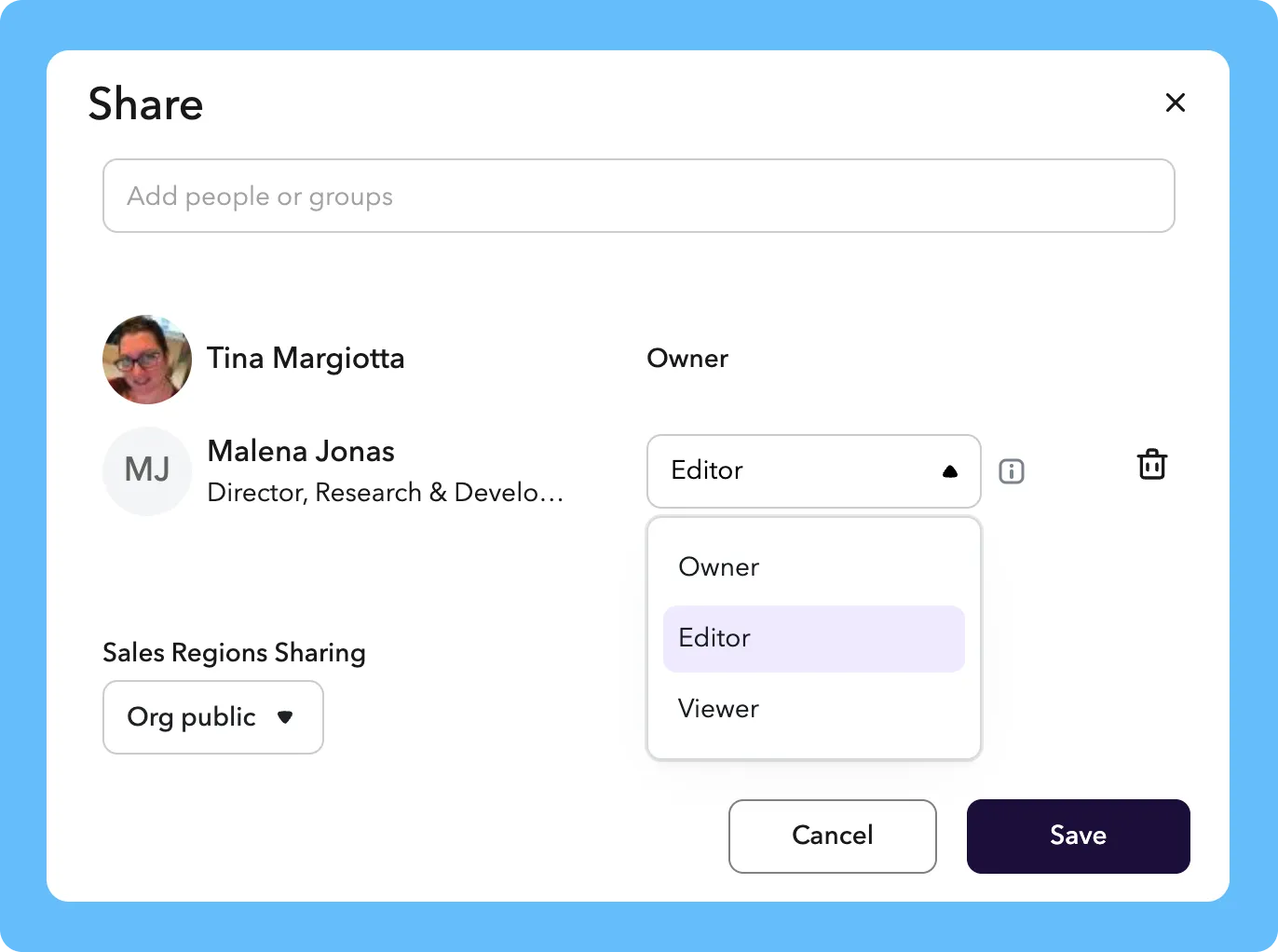
Share with a specific user to see and manage the group type
Sharing with the broader org
To control visibilty of a group type throughout ChartHop, use the group type Sharing dropdown in the lower left corner of the Share modal. This visibility controls who can see the group org chart, see the group membership in Job History and in the Data Sheet, Dashboards, etc.
- Private: the group type will only be shared and visible to the users listed in the upper part of the share modal
- Highly sensitive: the group type and its groups will be visible to Owners and other users in ChartHop with access to read all sensitive content
- Org public: the group type and its groups will be visible to everyone in the organization
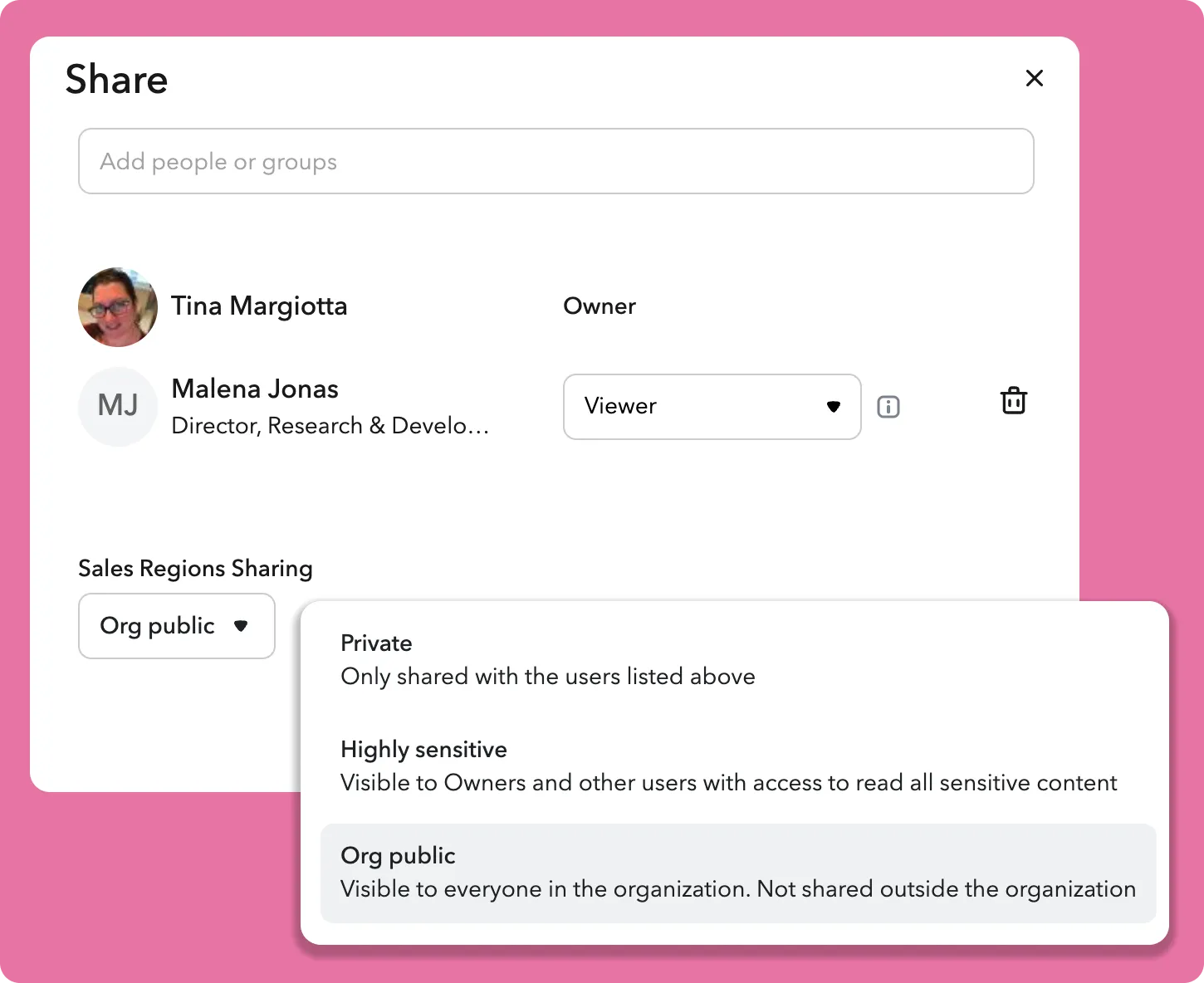
Determine org visibility throughout ChartHop for the group type