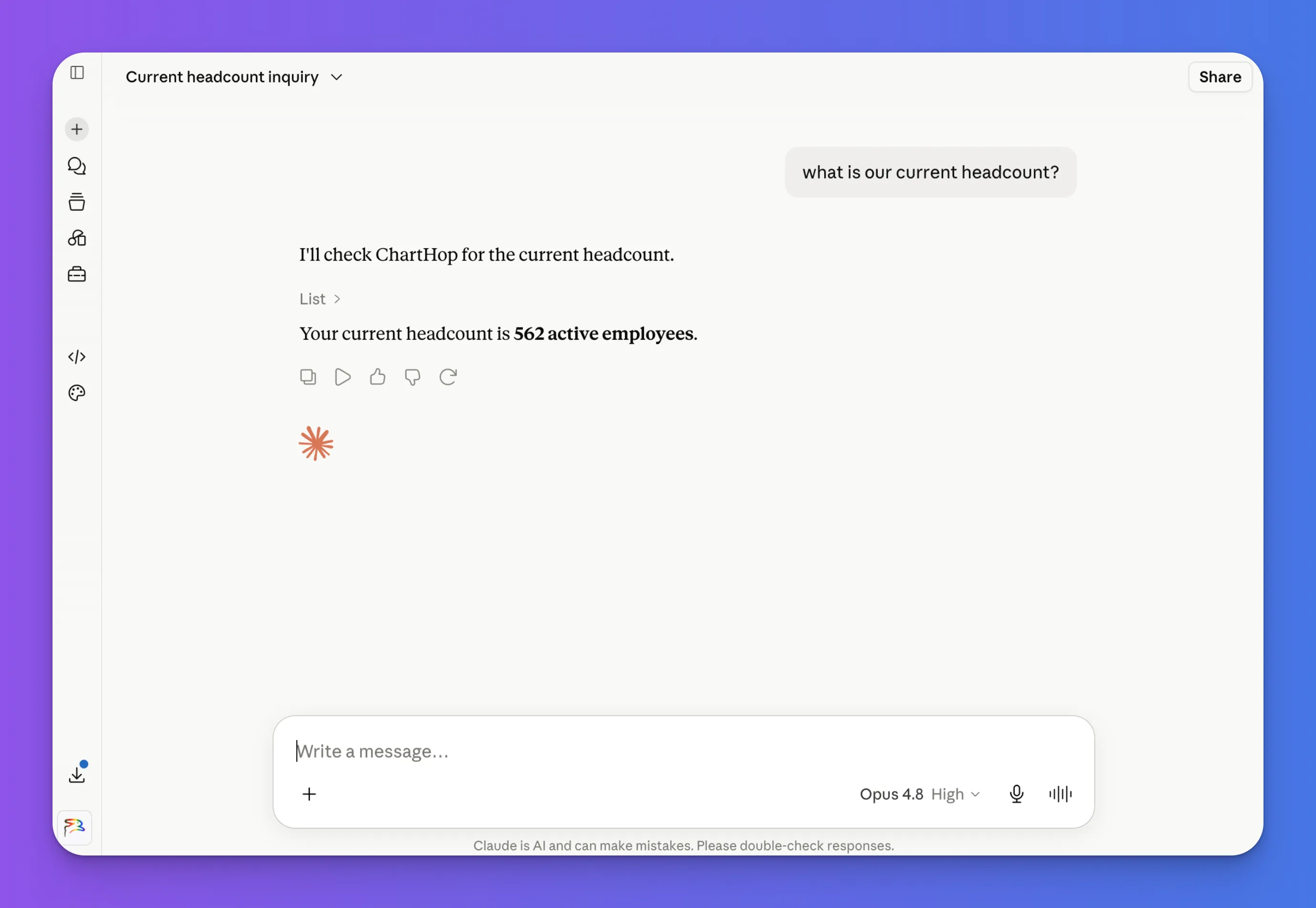
Connecting Claude to ChartHop via MCP
ChartHop supports MCP (Model Context Protocol) integration with Claude (by Anthropic), allowing users to query ChartHop data directly from within Claude.
MCP access requires the AI Pro module. All data access follows each user's ChartHop access role and permissions.
How It Works
Claude can read ChartHop data on behalf of the authenticated user. Access is read-only for now. Write access is planned for a future release.
Admins configure the Claude agent and can restrict what data is available, from fully open (matching Ask ChartHop's scope) to a narrower dataset. Individual user permissions always apply regardless of scope.
For Admins: Initial Setup
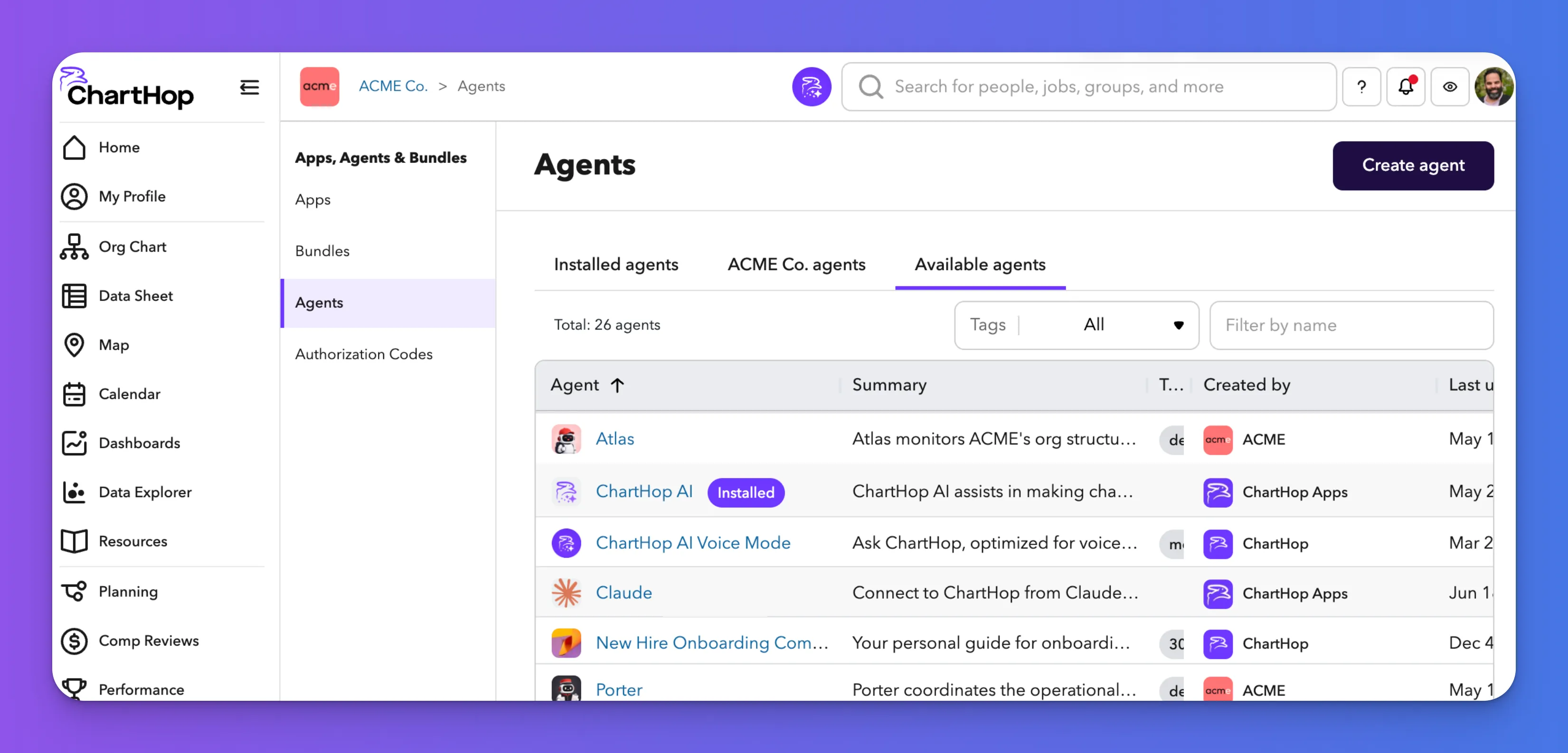
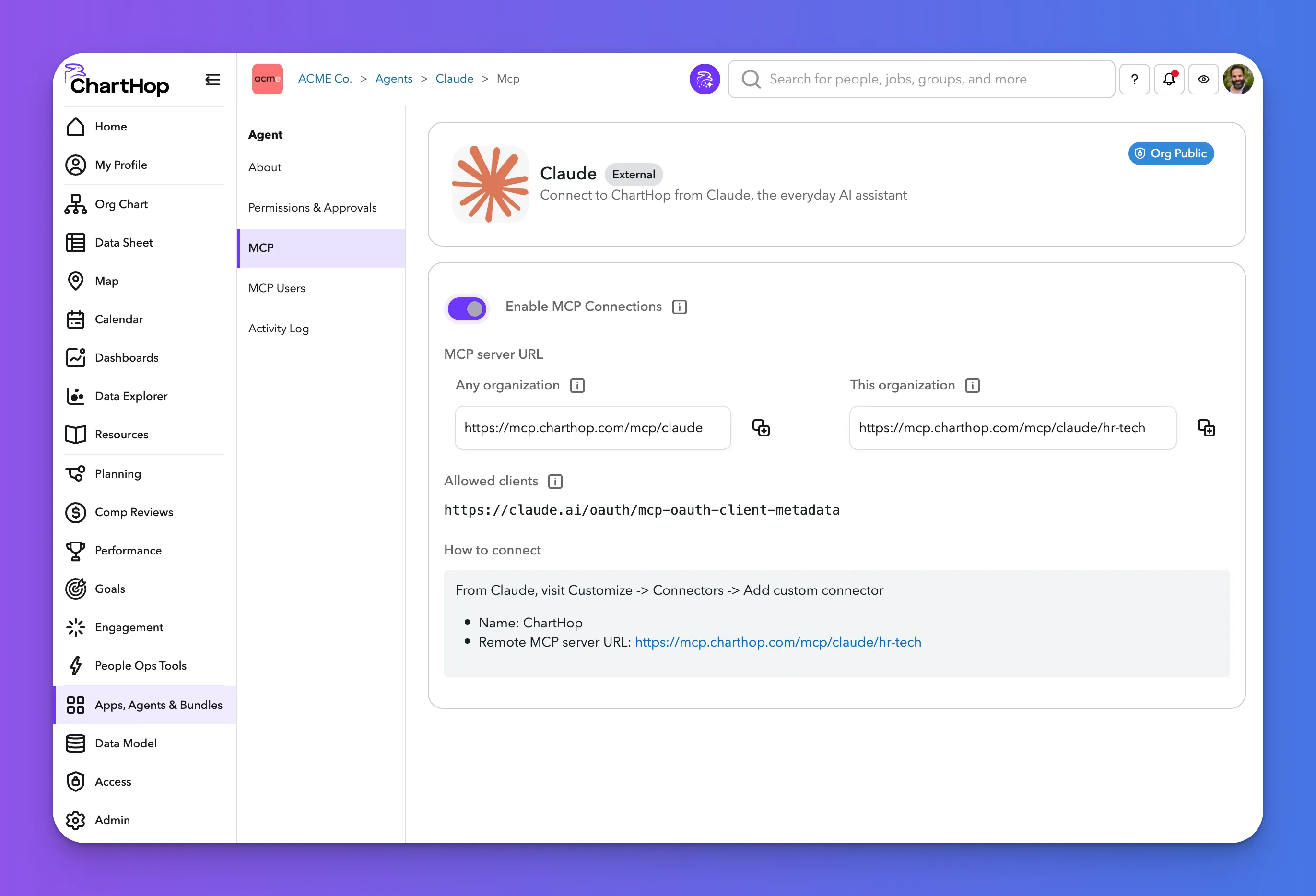
Step 1: Install the Claude Agent in ChartHop
- Navigate to Apps, Agents & Bundles in the sidebar.
- Select the Agents tab.
- Find Claude in the list of available agents and install it.
- Select Role: Admins can configure the scope of the Claude agent:
- Agent Role (recommended role) - Recommended default for agents. Can read all data including sensitive data, send messages, submit forms, create scenarios and reports, and read from connected external apps. Cannot edit or delete records, change configuration, impersonate users, or write to external apps.
- Other Roles - Read through descriptions on the Access Roles page to find alternatives to Agent role if desired
- User-level permissions always apply. Users will never see data they can't access in ChartHop.
- Copy the MCP Server URL from the agent settings. If you have more than one organization in ChartHop, you can copy the Any Organization URL. If you only have one, which is typical, copy the This Organization URL.
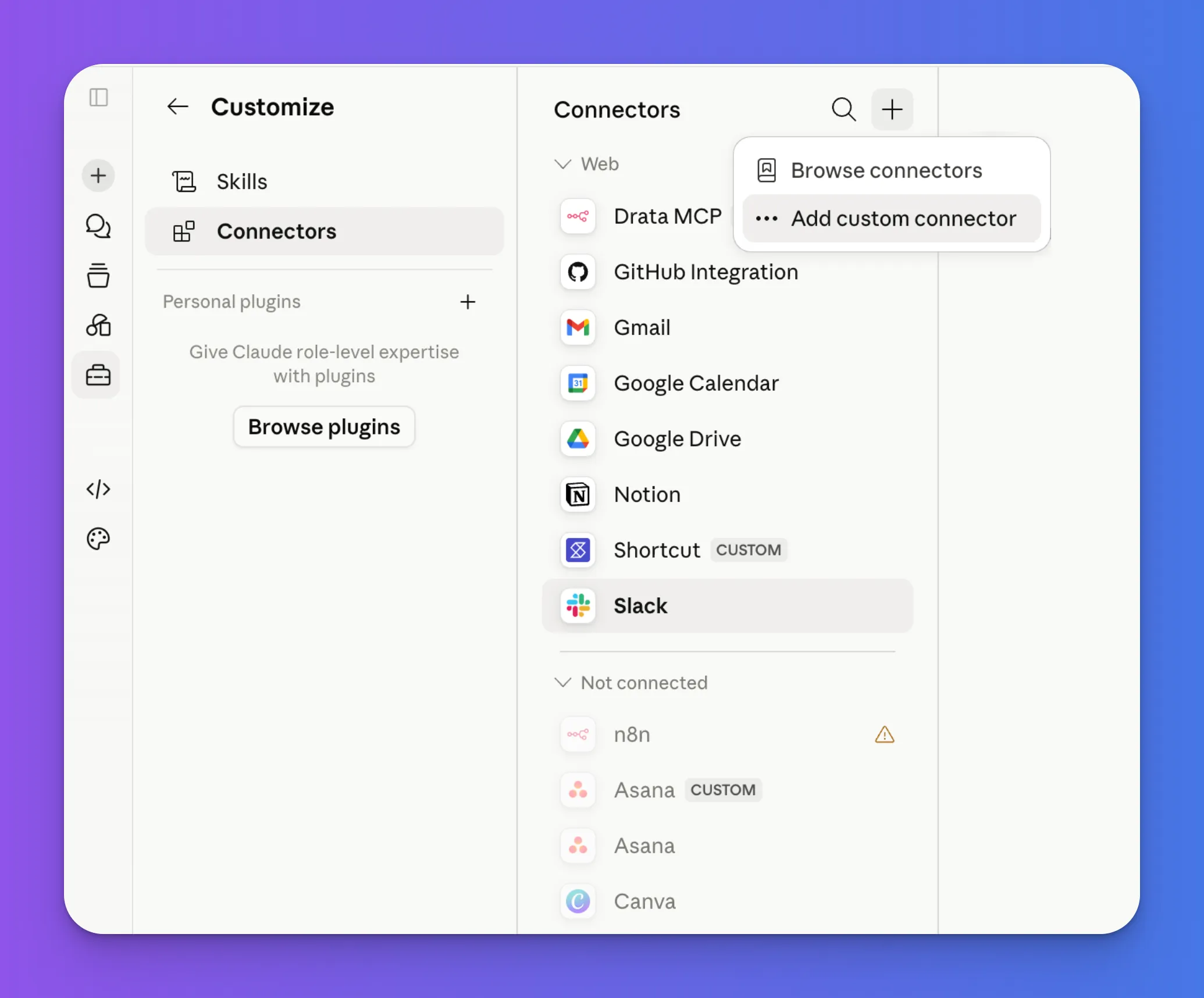
Step 2: Add a Custom Connector in Claude
Team and Enterprise plans: Only an Owner or Primary Owner can add a connector via Organization settings > Connectors. Once added, it will be available for members to connect to.
- In Claude, click Customize.
- Click Connectors.
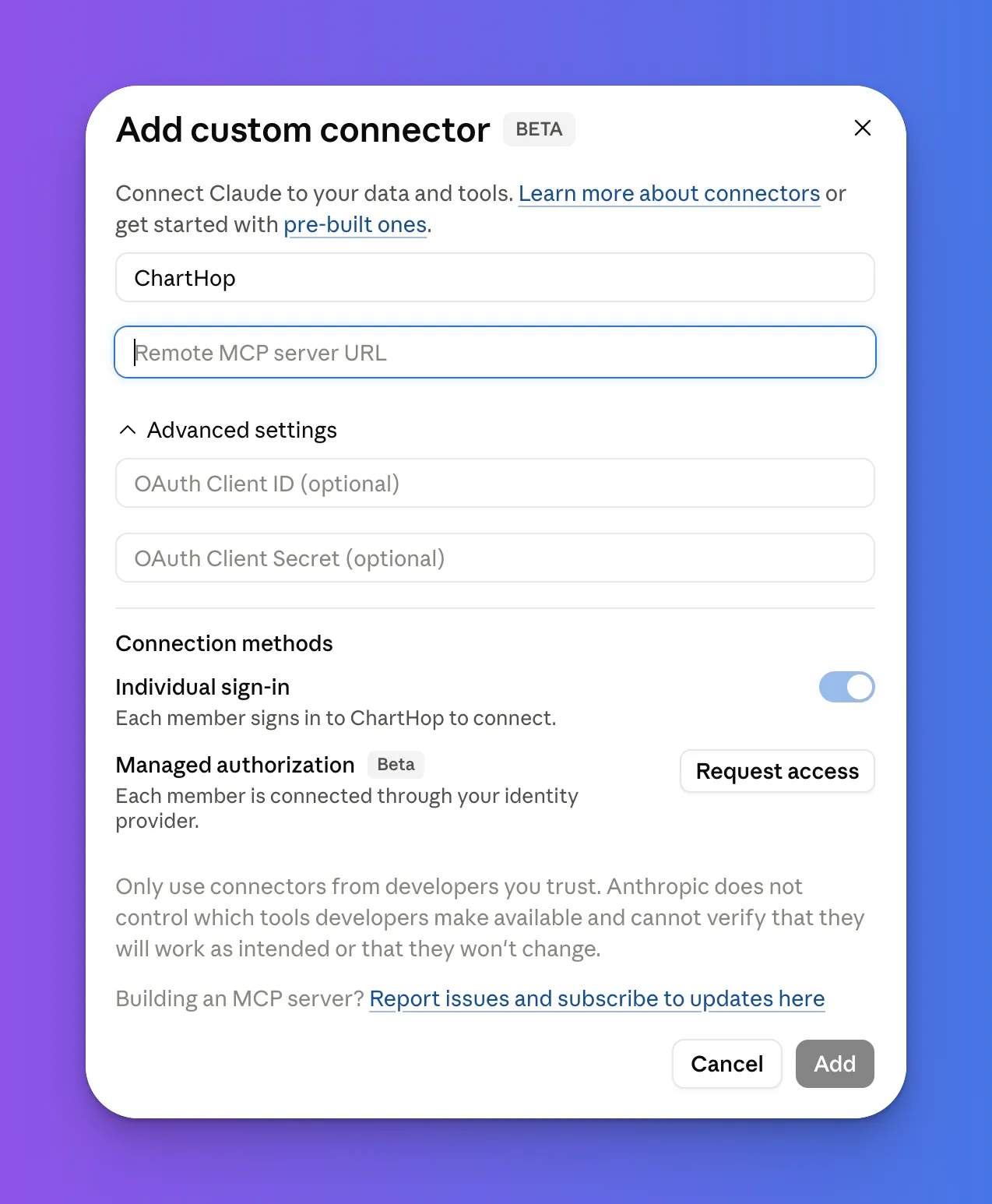
- Click Add Connector.
- Enter a Name (e.g. ChartHop) and paste the MCP Server URL.
- Add the connector.
For Users: Connecting Your Account
Once an admin has set up the ChartHop connector, each user needs to connect their own account.
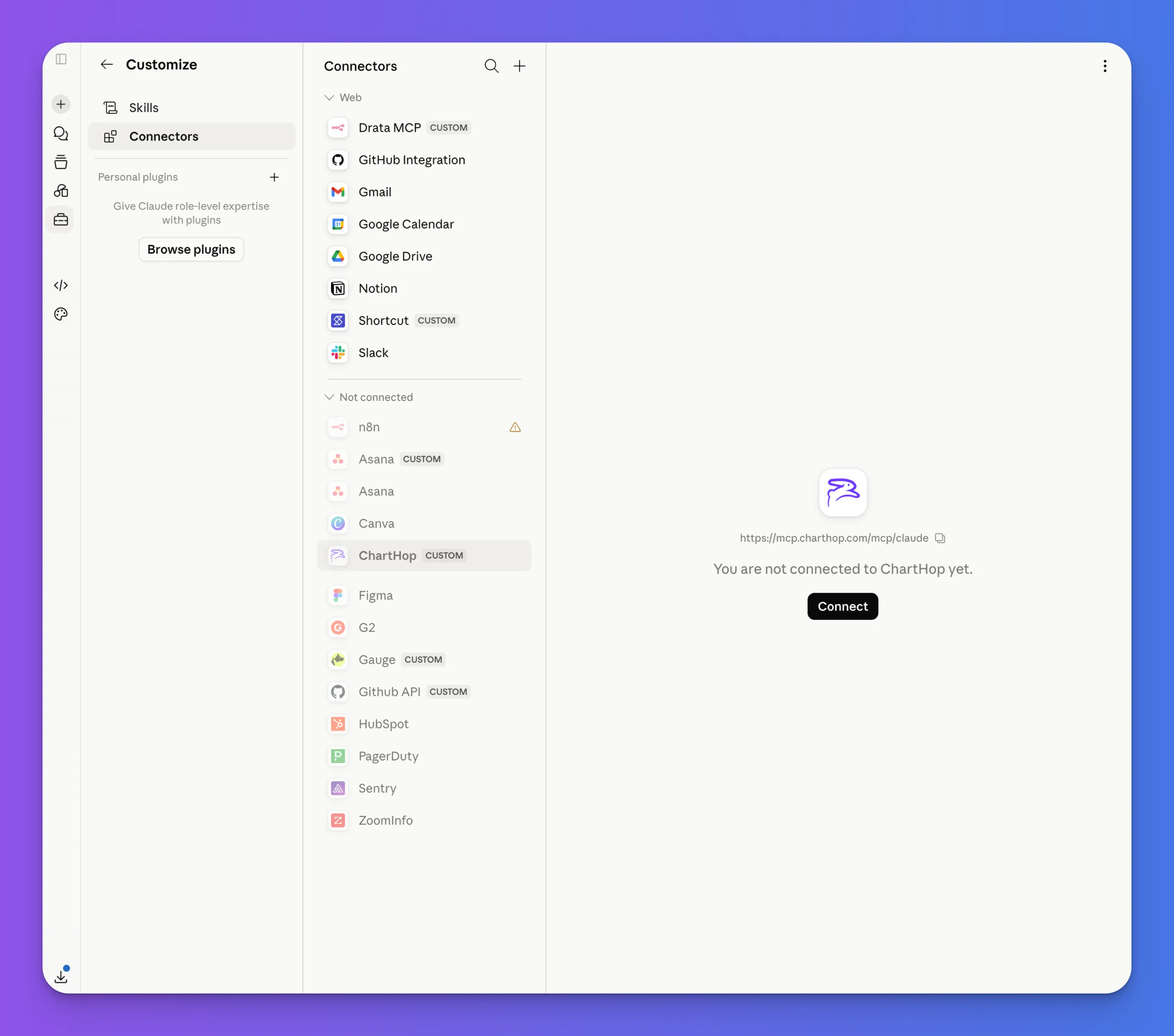
- In Claude, click Customize.
- Click Connectors.
- Search for ChartHop under the Not Connected category.
- Click Connect and complete the OAuth flow using your ChartHop credentials.
Tip: If you don't see ChartHop listed, try refreshing the page or restarting Claude.
Use Claude to Access Information about Your Org!