
Goal Types
Goal Types define how goals behave across ChartHop. They control how progress is measured, how confidence is reported, how forecasting works, and how progress update reminders are sent.
Configuring Goal Types is the right first step before anyone creates a goal. The types you define determine what options users see when creating goals, what progress looks like across the platform, and how goal data is structured for reporting.
Navigate to Admin > Configuration > Goal Types to access this page.
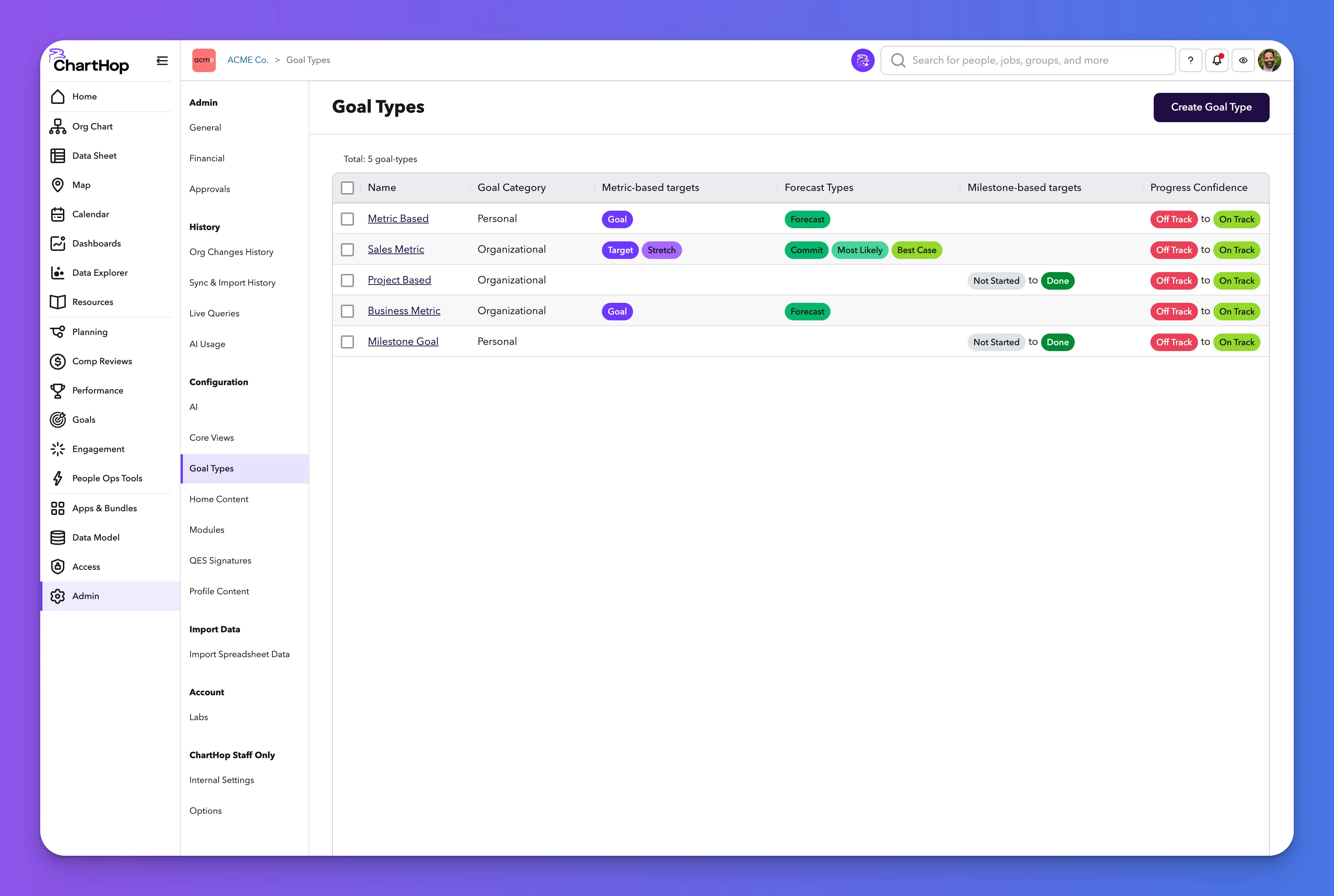
Goal Types admin view
The Goal Types page lists all goal types available in the organization. Each row shows:
- Name — linked, click to edit
- Goal Category — Organizational or Personal
- Metric-based targets — target level pills (e.g., Goal, Target, Stretch)
- Forecast Types — forecast level pills (e.g., Commit, Most Likely, Best Case)
- Milestone-based targets — milestone range (e.g., Not Started to Done)
Select Create Goal Type to add a new type.
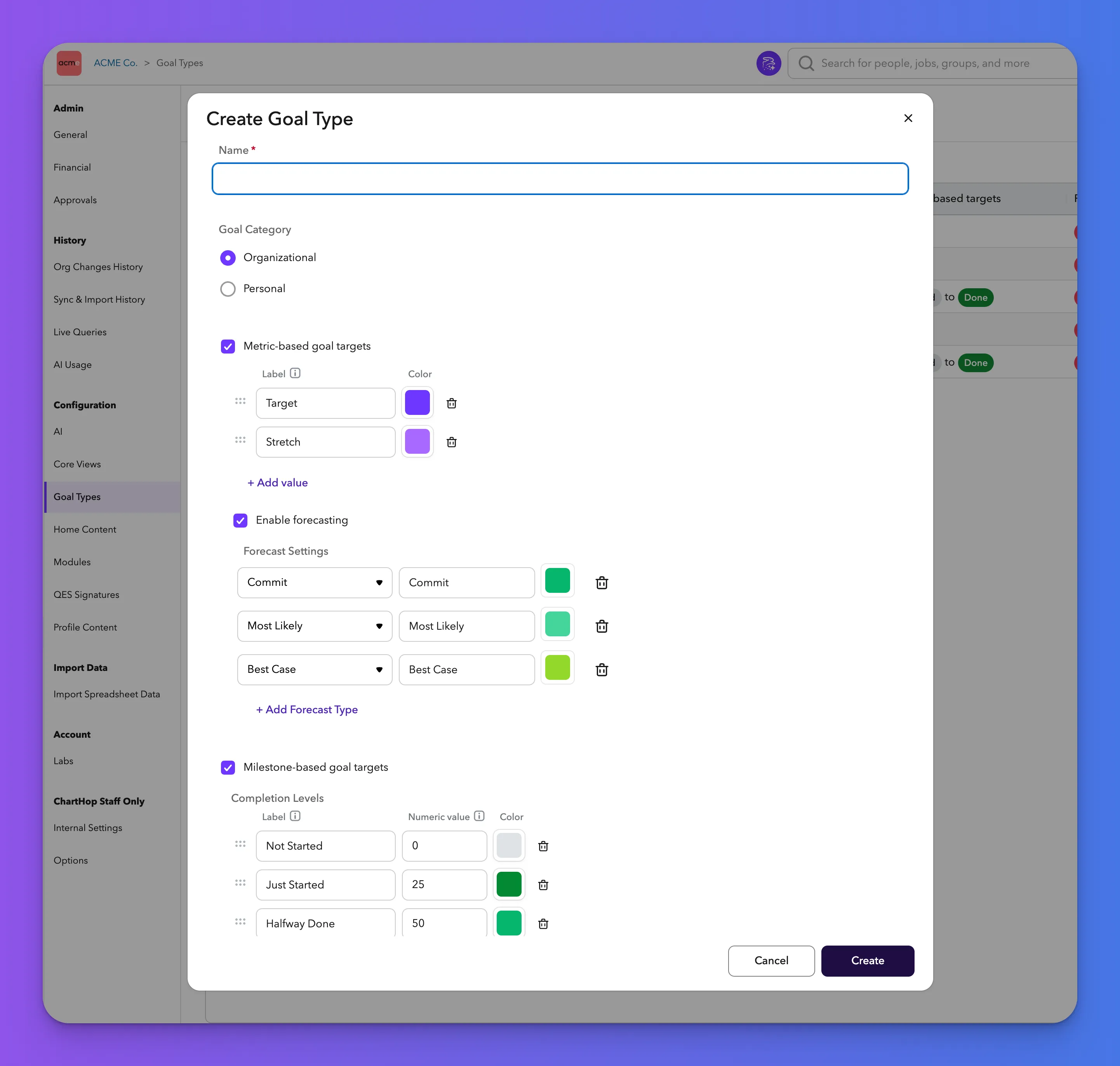
Creating or editing a Goal Type
Everything configured in a goal type applies to every goal created with that type. Changes to an existing goal type affect all goals using it, so update thoughtfully.
Name (required)
The label users see when selecting a goal type. Make it descriptive: Company Goal, Sales Quota, Project Initiative.
Goal Category
Radio button: Organizational or Personal. This determines which section the goal type appears under in the Create Goal dropdown. Organizational types are for company, department, and team-level goals. Personal types are for individual goals that aren't part of the organizational cascade.
Metric-based goal targets
Enable this checkbox to allow goals of this type to include numeric metrics. Define each target level with a label, color, and drag-to-reorder handle. Common examples: Goal, Target, Stretch, Base, Bunny. Select + Add value to add additional target levels. These labels appear in goal metrics, charts, progress updates, and the sidebar throughout the product.
Enable forecasting
Enable this checkbox to allow forward-looking estimates on goals. Configure each forecast type with a type selector (Commit, Most Likely, Best Case), a label, and a color. Select + Add Forecast Type to add more. Forecasting lets goal owners communicate expected outcomes, not just current performance, and drives the forecast lines visible in goal charts.
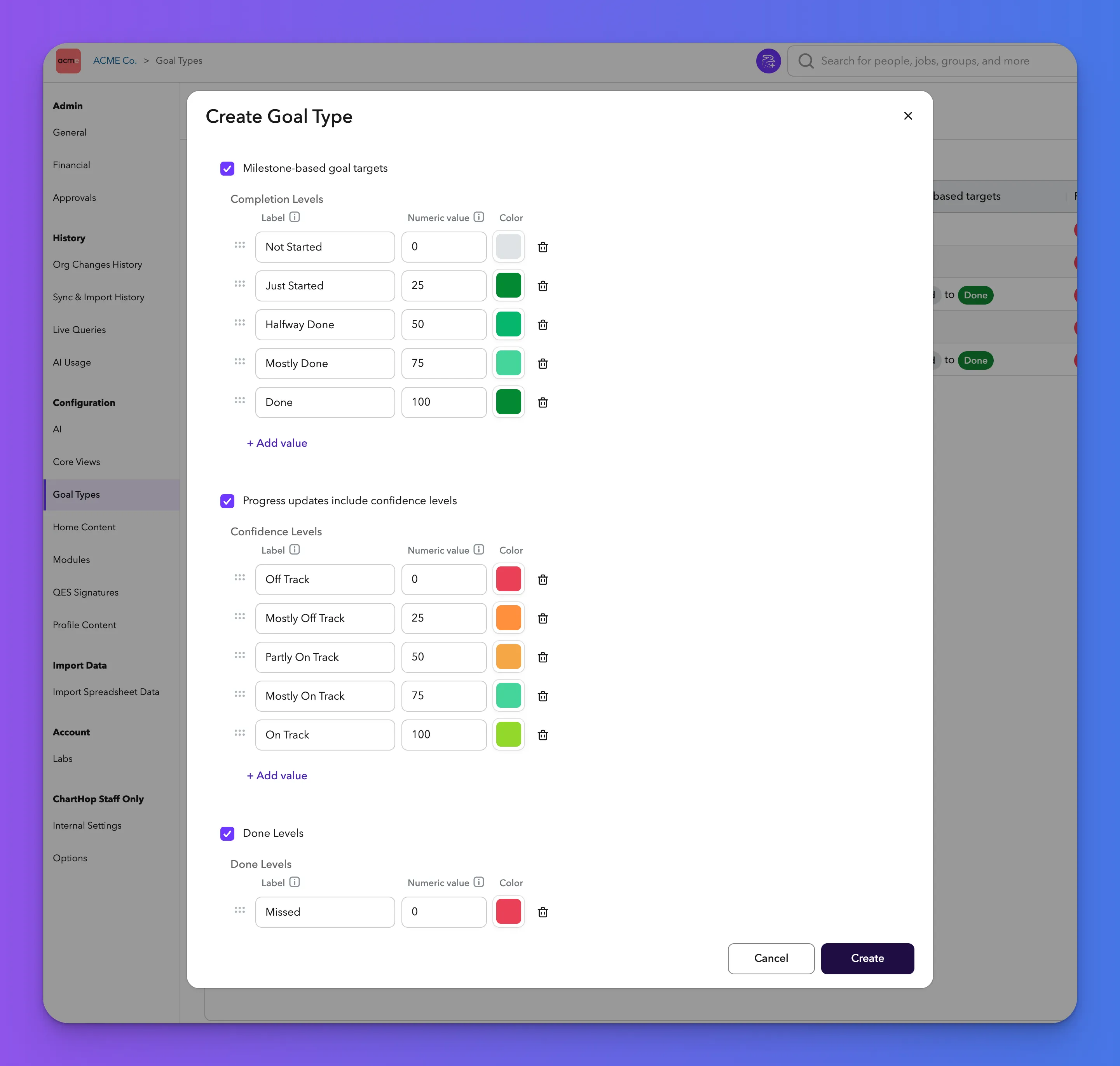
Milestone-based goal targets
Enable this checkbox to track progress through completion stages instead of, or in addition to, numeric metrics. Define Completion Levels with a label, numeric value, and color. The numeric value is what drives visual progress indicators across the platform for milestone-based goals. A milestone at "Halfway Done" with a numeric value of 50 contributes 50% progress to the goal's overall progress bar. Set these values intentionally — they affect every progress bar users see in the Goals module, on profile pages, group pages, and in the Data Sheet.
Default completion levels: Not Started (0), Just Started (25), Halfway Done (50), Mostly Done (75), Done (100). Select + Add value to customize.
Progress updates include confidence levels
Enable this checkbox to include confidence level selection in progress updates. Define each Confidence Level with a label, numeric value, and color. These levels appear as selectable pills in the progress update form and as colored indicators throughout the Goals module.
Default confidence levels: Off Track (0, red), Mostly Off Track (25, orange), Partly On Track (50, amber), Mostly On Track (75, teal), On Track (100, green).
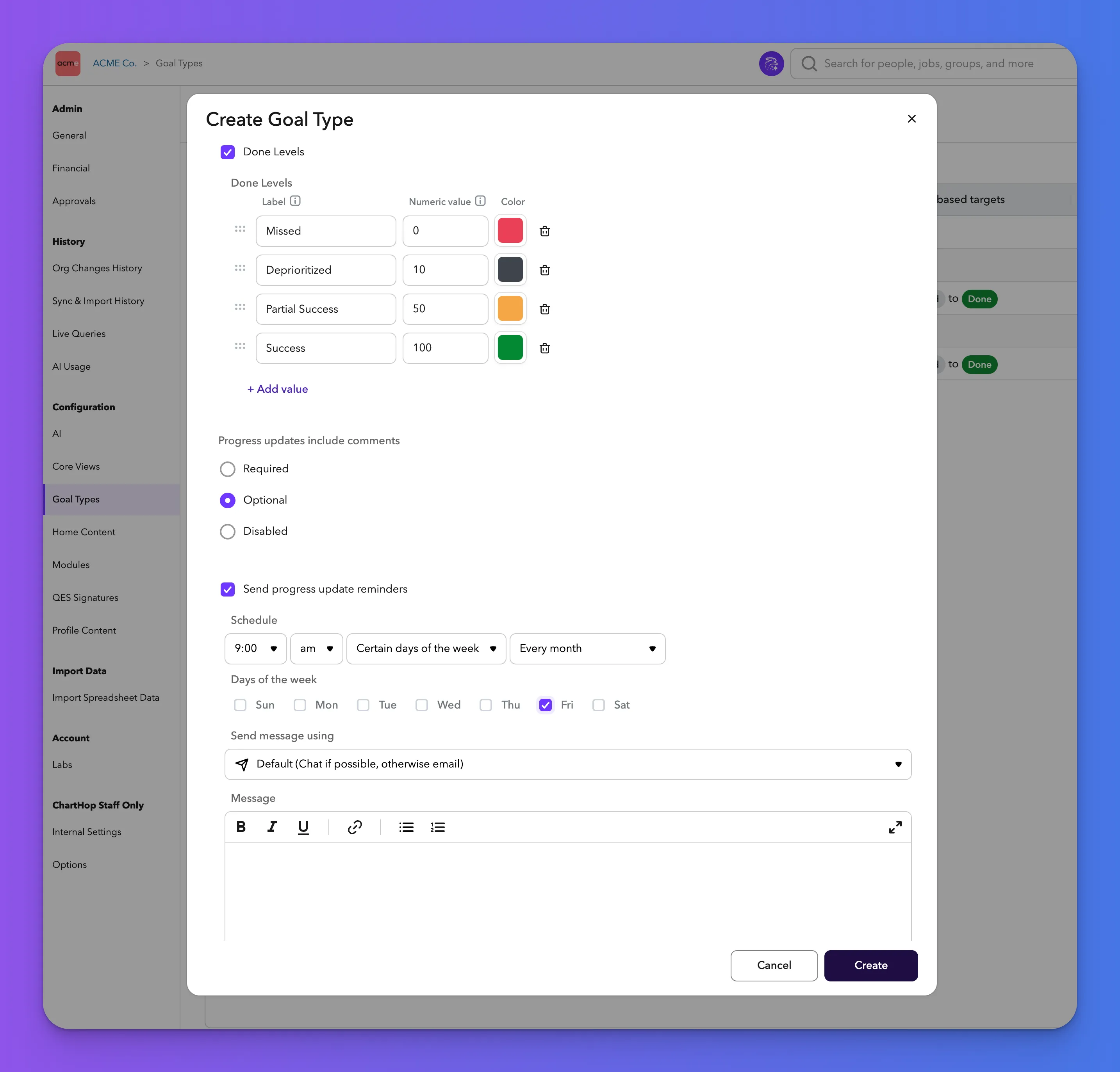
Done Levels
Enable this checkbox to define how a goal is evaluated when it's closed. Define each Done Level with a label, numeric value, and color. This provides a consistent way to assess outcomes after a goal period ends.
Default done levels: Missed (0, red), Deprioritized (10, dark gray), Partial Success (50, orange), Success (100, green).
Progress updates include comments
Radio button with three options:
- Required — goal owners must write a comment with every progress update
- Optional (default) — comments are available but not required
- Disabled — no comment field appears in progress updates
Send progress update reminders
Enable this checkbox to automatically remind goal owners to submit progress updates. No separate Action or workflow setup is needed — reminders are configured directly within the goal type.
Configure the reminder schedule:
- Time — hour and am/pm
- Frequency — e.g., Certain days of the week
- Recurrence — e.g., Every month
- Days of the week — checkboxes for Sun through Sat
- Send message using — defaults to "Default (Chat if possible, otherwise email)"
- Message — rich text field for a custom reminder message body
Save
Select Create to save the goal type and make it available across ChartHop, or Cancel to exit without saving.
Modules: HRIS | Engagement | Goals | Performance | Compensation Reviews | Headcount Planning