
Terminate a person (Alpha)
Alpha. This page describes the redesigned job form, available to organizations in the alpha. Otherwise, see Terminate a person.
Record a person's departure and decide, in the same step, what happens to their job: open a backfill, or remove the job.
What's different: you now must choose whether to backfill the job. Choosing No, remove the job removes the job from the org the day after the person's last day.
Terminate a person
- Open the form. Terminate shows for filled jobs whose person doesn't already have an end date.
- On the Org Chart, select the person's job, then select Terminate in its details panel.
- On the Data Sheet, open the row's actions menu (⋮) and select Terminate.
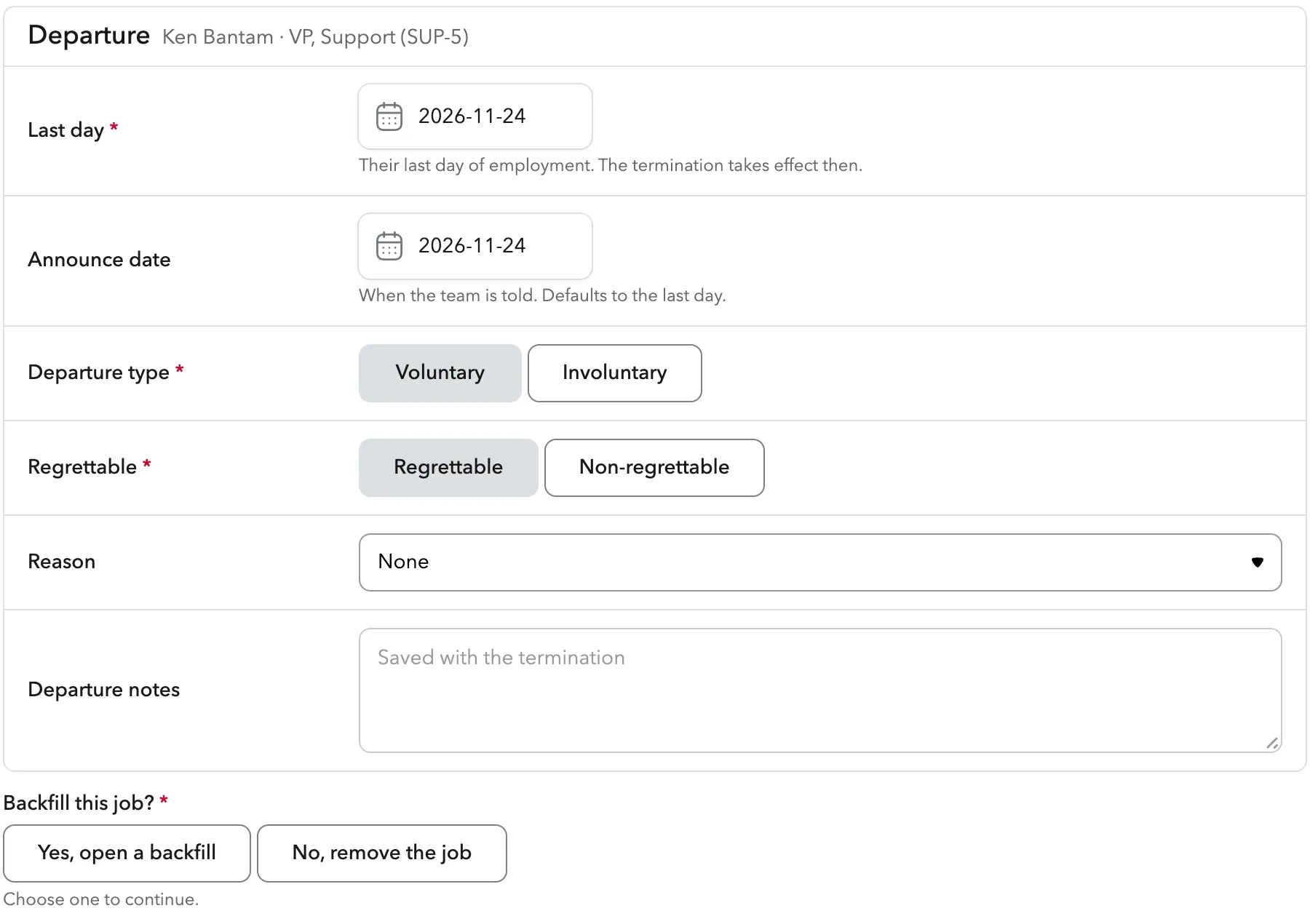
- In Departure, fill in:
- Last day (required): their last day of employment. The termination takes effect then.
- Announce date: when the team is told. It defaults to the last day and can't be after it.
- Departure type: Voluntary (default) or Involuntary.
- Regrettable: Regrettable (default) or Non-regrettable.
- Reason (optional).
- Departure notes, saved with the termination.
- Answer Backfill this job? There's no default.
- Yes, open a backfill: opens a job the day after their last day. It starts as a copy of their job; change only what's different. See Backfill a job for what's copied.
- No, remove the job: the job is removed after the last day.
- Select Save, check the summary on Review, and choose how to save. See Save job changes and send for approval.
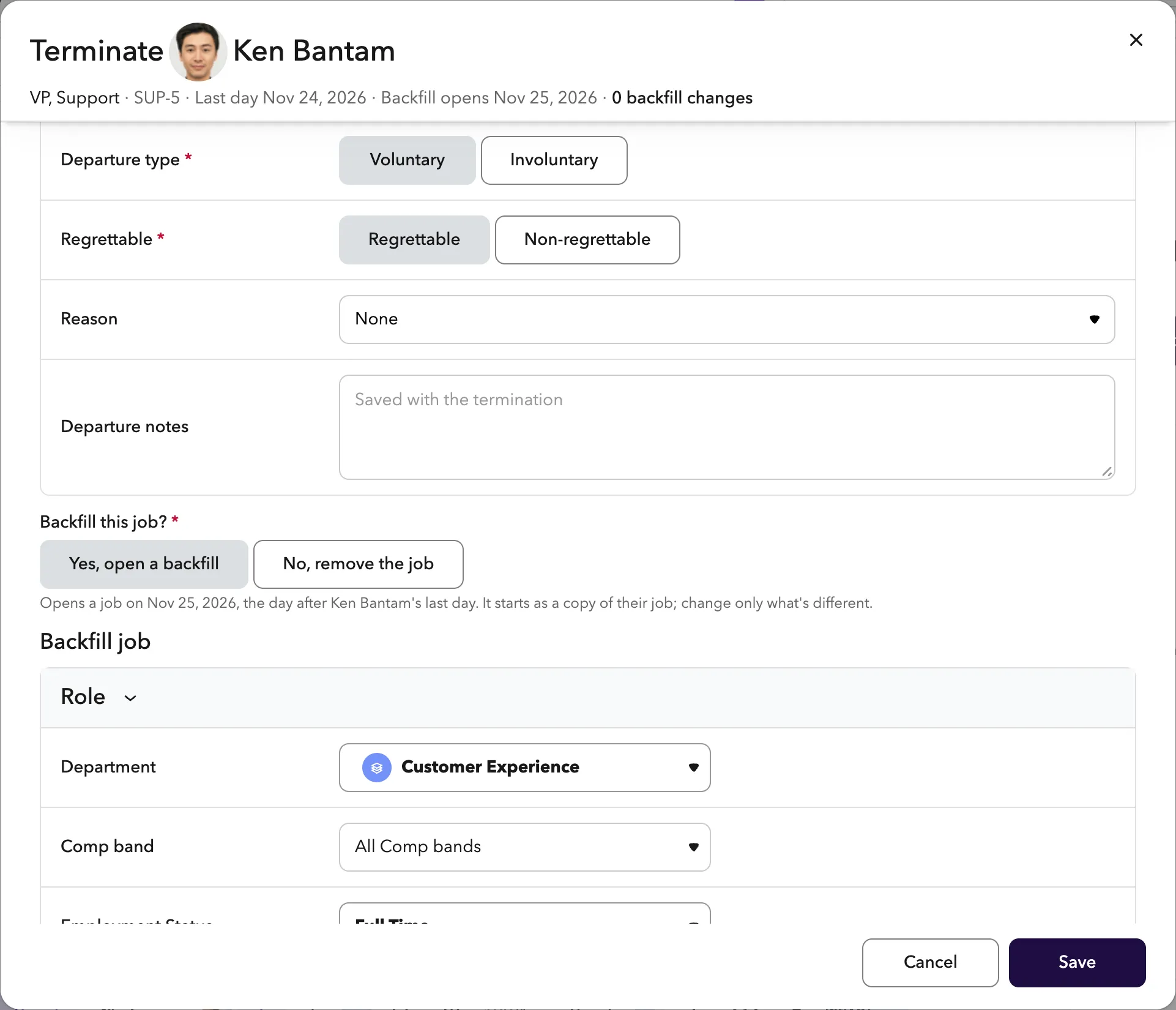

If you edit the backfill and then switch to No, your backfill edits are discarded.
Review
Review shows who's leaving, the departure details, and the changes the backfill makes compared to the leaving person's job. The note you add on Review is saved with the backfill, or with the job removal if there's no backfill.
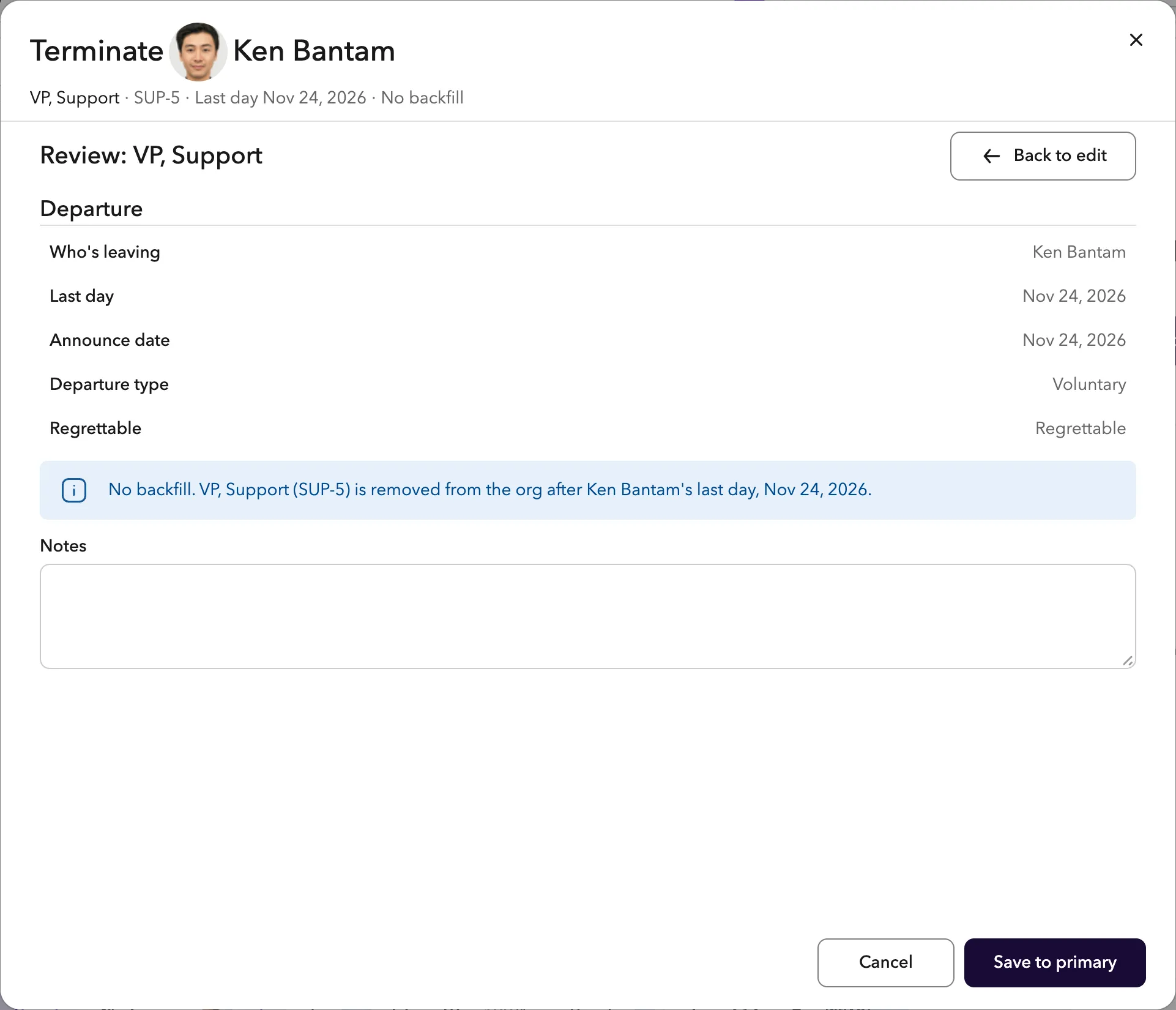
When it's saved, you'll see a message confirming the last day and whether a backfill opens or the job is removed.
Things to know
- Head of the organization: their job can't be removed, only backfilled, so No, remove the job is unavailable.
- Access: removing the job also needs permission to delete it. Without it, choose Yes, open a backfill, or propose the change in a scenario.
- If a save fails partway: the form tries to undo what it saved. If it can't, the message tells you what to remove before you try again.
- In a scenario the termination and backfill are added to the scenario. To propose a termination for approval, use the Terminate & backfill simple workflow. See Simple workflows.